Your path to financial independence,
worked out from your own statements
Lume is a net worth and financial independence tracker that reads your bank and broker statements on your Mac or iPhone and works out each month from them, so every figure shows where it came from. No bank login, nothing fetched on your behalf. One purchase covers both.
Download on the App Store$9.99 once. Mac and iPhone. No subscription.
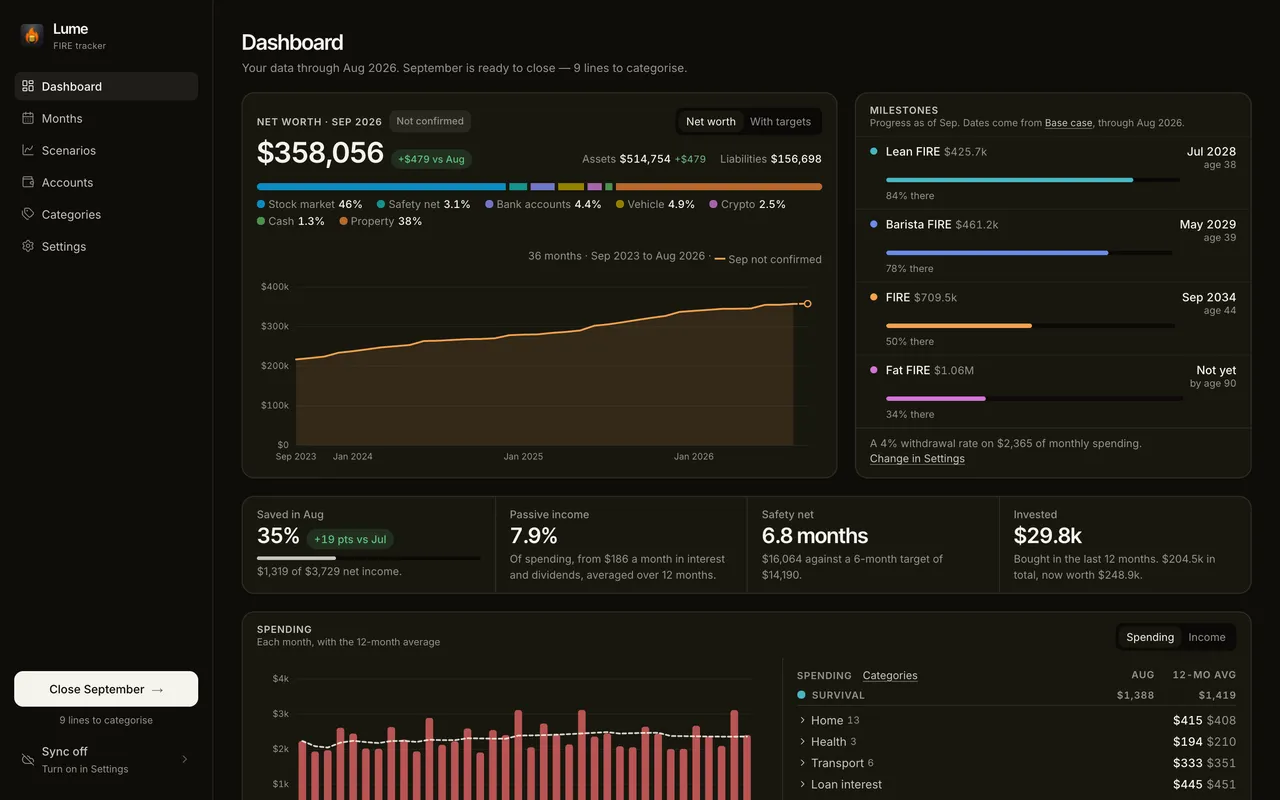
Built around one
monthly habit
Net worth, both sides
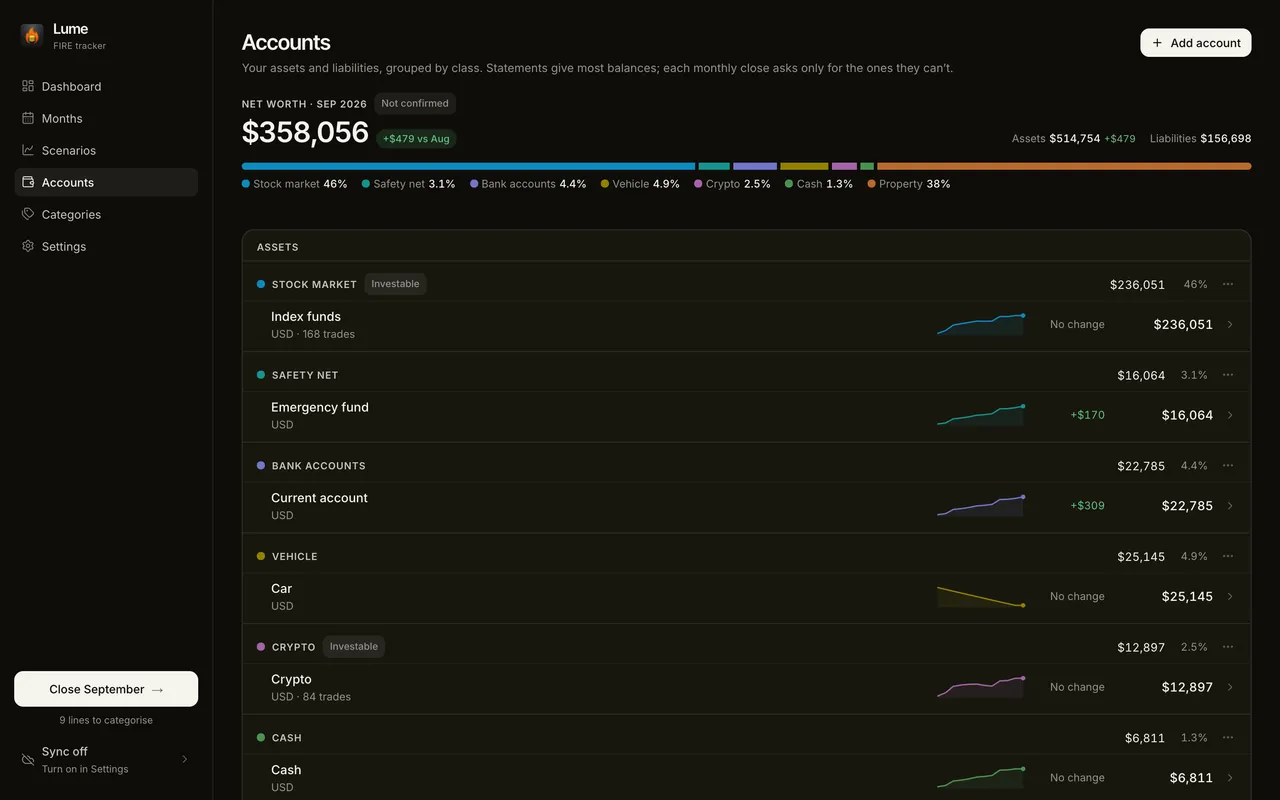
Every account on one page, grouped by asset class - bank accounts, stocks, crypto, real estate, vehicles - each with its 12-month trend. Mortgages, loans and cards sit below them under Liabilities, shown as what you owe: give one its rate and end date and Lume works out the balance, splits each payment into interest and principal, and says when it is paid off.
FIRE progress
Lean FIRE, Barista FIRE, FIRE and Fat FIRE, each with how far along you are and the month and age you could reach it.
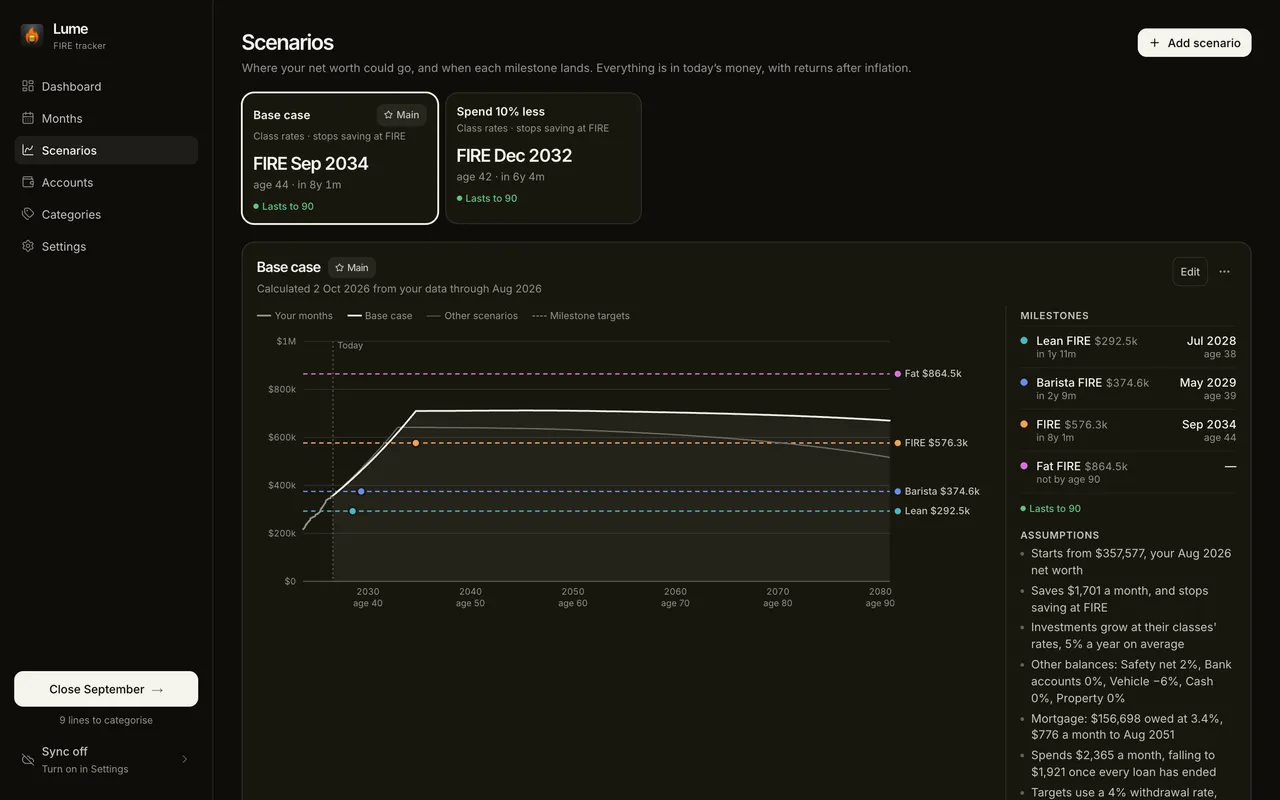
Scenarios
Turn your own numbers into a timeline, and compare what-ifs side by side - spend less, stop saving sooner, or keep going. Each loan is followed to its end, so every date moves when the mortgage does.
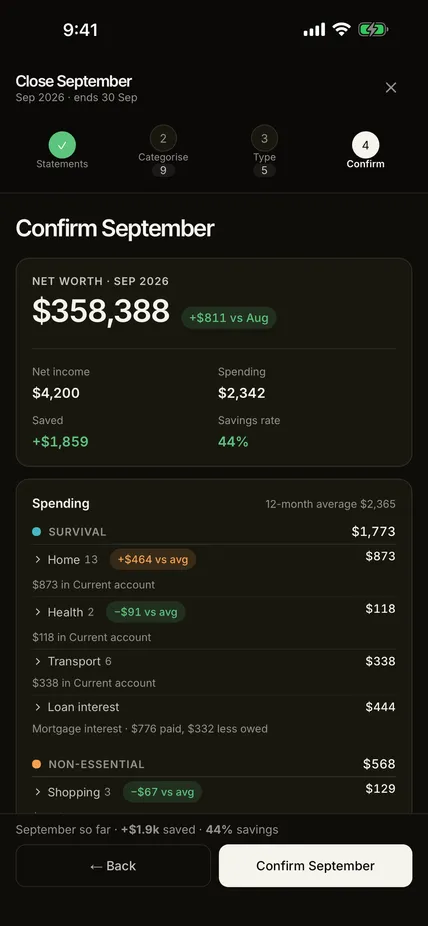
The monthly close
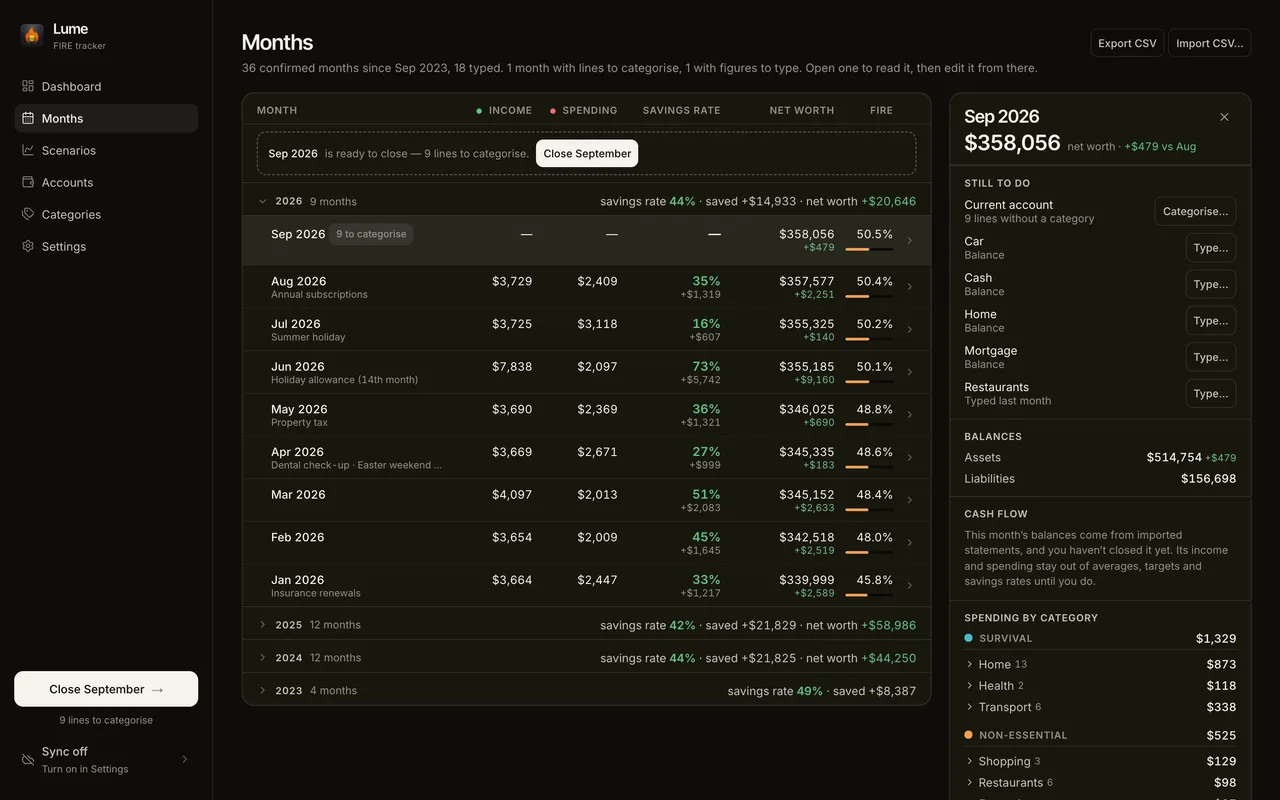
Once a month: import the statements, categorise what the rules don't know, type what no statement gives, and confirm. Before you do, it shows how the month moves your FIRE dates.
CSV & JSON backup
Export and import your data at any time. You always own your data - no lock-in.
Sync between Mac and iPhone
Optional. Encrypted with your passphrase before it leaves either device - we only ever hold ciphertext.
What three years of tracking
actually looks like
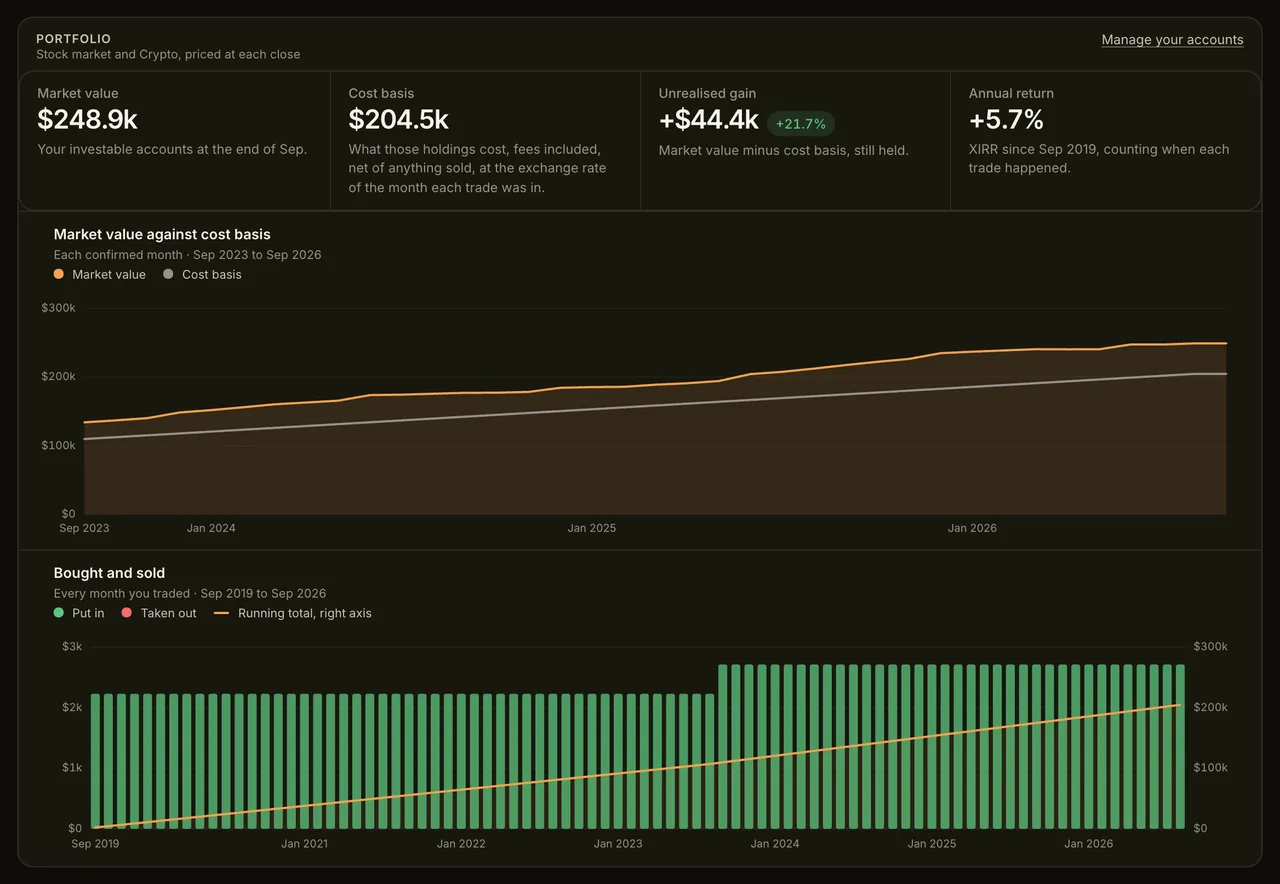
Every figure below comes from a sample profile, not a mock-up. This is the app with three years of confirmed months in it.
Is Lume right for you?
Lume is deliberately narrow. It suits some people very well and others not at all, and it is cheaper for both of us if you find that out here rather than after paying.
A good fit if you
- Can download a statement from your bank once a month, and want Lume to read it rather than ask you to add it up.
- Want your financial data to stay yours - no bank logins, no aggregator, no account needed.
- Are tracking FIRE and want the Lean FIRE, Barista FIRE, FIRE and Fat FIRE milestones worked out for you.
- Have outgrown a spreadsheet but want to see every number's working.
- Carry a mortgage or a loan and want it counted properly - what you owe, what each payment buys down, and the month it clears.
- Use a Mac or an iPhone, or both, and want them to share one encrypted history.
Probably not, if you
- Want your bank connected. Lume never logs in anywhere: you download the statement, and Lume reads it.
- Want day-to-day budgeting. Lume works a month at a time: it categorises your lines when you close the month, not as you spend.
- Bank somewhere whose statements are only scans. Lume reads CSV, Excel (.xlsx), OFX, QFX and text PDFs with a table; anything else you type.
- Need Windows, Android or a web version today. Apple only, for now.
- Want to be told which debt to clear first. Lume shows what each one costs and when it ends; the order is yours to choose.
Your statements are the trade. Lume reads the files you download and connects to no bank, so there is nothing to breach, sell or lose - and every figure can still be checked against the line it came from.
Your finances are
nobody else's business
Every file read on your device
Statements - PDFs included - and broker exports are read inside Lume, on your Mac or iPhone, and never uploaded, including one you open in Lume from Mail or your bank's app. Lume keeps the lines, encrypted like the rest.
No bank login
Nothing is fetched on your behalf. You download the statement; Lume never holds a password to your bank, so there is no connection to breach.
Every figure shows its working
Open a month and each figure shows where it came from: the statement lines behind it, or the amount you typed and its name. Totals are worked out from the lines, never the other way round.
End-to-end encrypted
No sign-up needed: your data stays on your device, encrypted there too. Turn on sync and only encrypted pieces leave it - we only ever hold ciphertext.
No tracking in the app
No analytics, no crash reporting, no third-party SDKs. This website keeps anonymous visit counts - see the privacy policy.
Works offline
No internet connection needed, except for market prices, checking tickers and sync - all optional. Reading a statement needs none.
Working it out
in the open
Barista FIRE: What It Is and How to Work Out Your Number
Barista FIRE is when your investments cover what a part-time job doesn't. What it means, how to work out your number, and how it differs from Coast FIRE.
Building an End-to-End Encrypted Finance App with Tauri
Why I built Lume after six years of finance apps that never quite fit, and how that shaped it: statements instead of bank links, Tauri, encrypted sync.
Lume Is Now on iPhone
Lume 1.4 brings the private FIRE tracker to iPhone. Keep up with your month from your phone, sync end-to-end encrypted with your Mac, and pay once for both.
Close your first month
Import a statement, categorise it, confirm it. One purchase for Mac and iPhone, no subscription, no bank login.
Download on the App Store